
What the Tax Report shows
Lunio’s Tax Report gives you a clear view of the sales tax connected to your invoices. It helps you review how much GST, HST, QST, and PST were collected during a selected reporting period.
The report is designed to help you organize your numbers before filing, reviewing, or sharing details with your accountant.
Choosing a reporting period
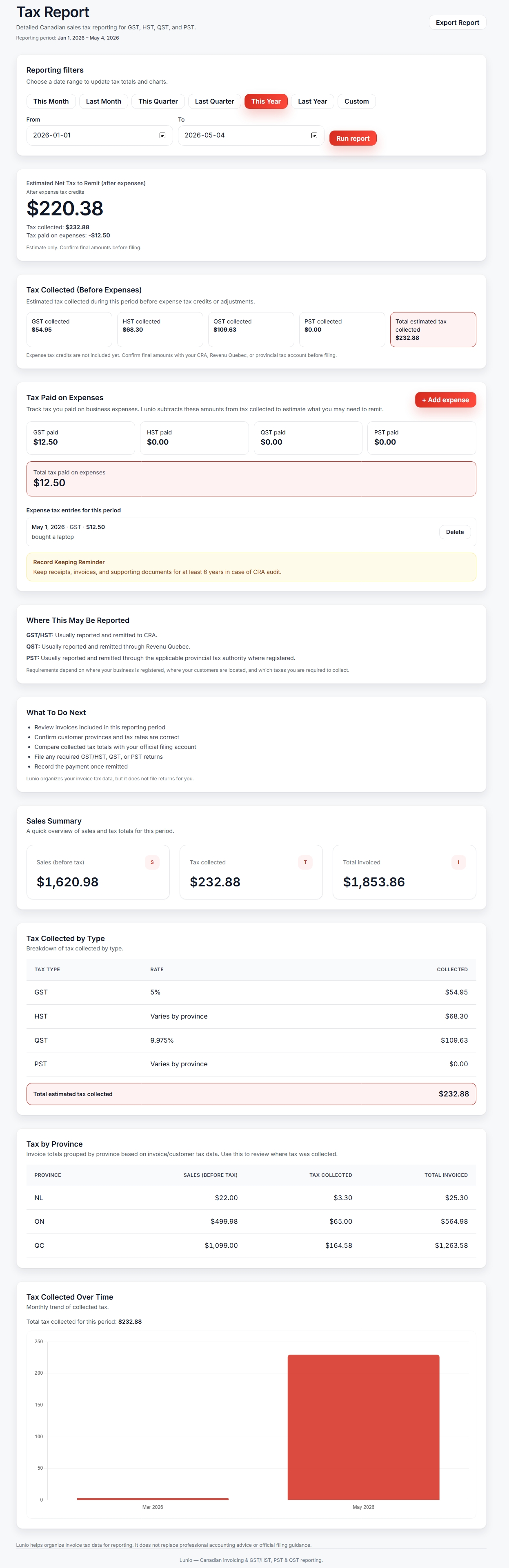
At the top of the report, use the date filters to choose the period you want to review. This could be a month, quarter, year, or custom date range.
After choosing your dates, select Run report to update the totals.
Estimated net tax to remit
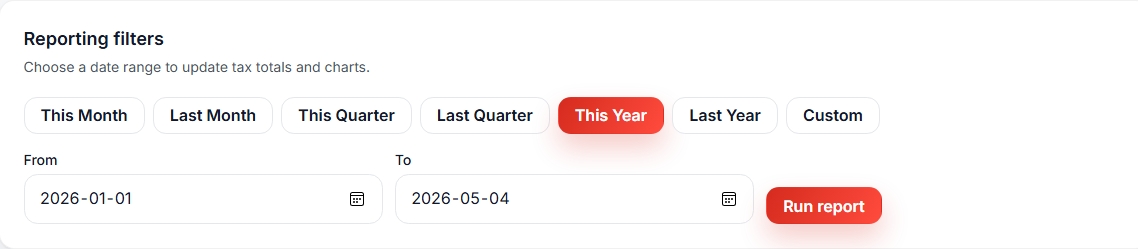
The Estimated Net Tax to Remit section shows the main number most users will care about.
It compares the tax collected on invoices with any tax paid on business expenses you entered in Lunio.
The basic idea is:
Tax collected - tax paid on expenses = estimated net tax to remit
This is an estimate only. Always confirm final amounts with your official tax account, accountant, or tax professional before filing.
Tax collected before expenses
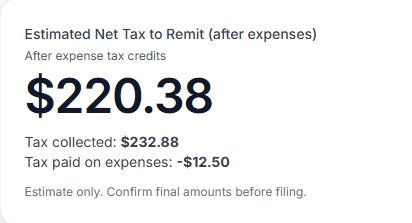
The Tax Collected section shows the sales tax collected from invoices before expense tax credits or adjustments.
This includes separate totals for GST, HST, QST, and PST where applicable.
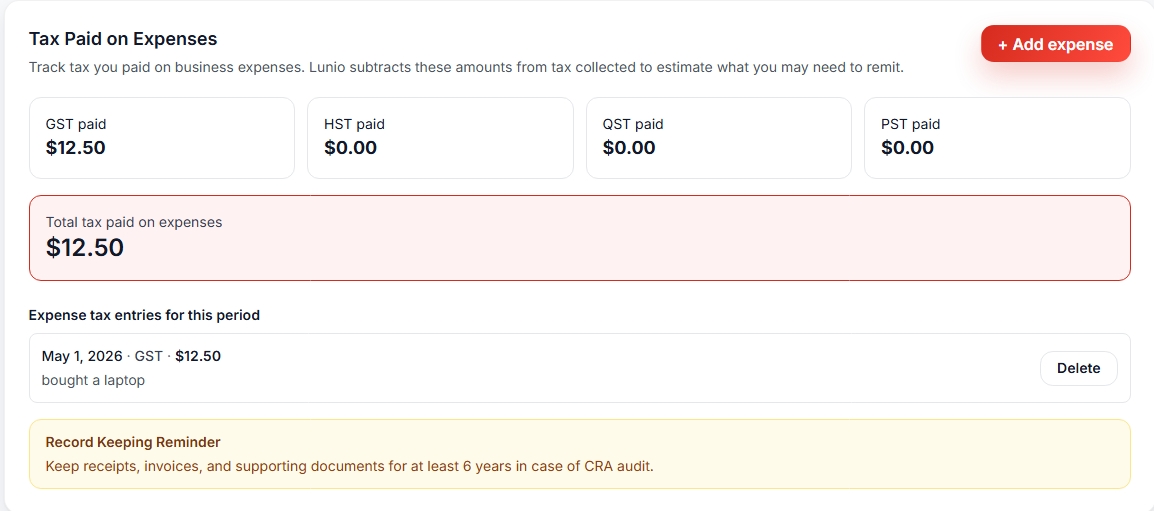
Tax paid on expenses
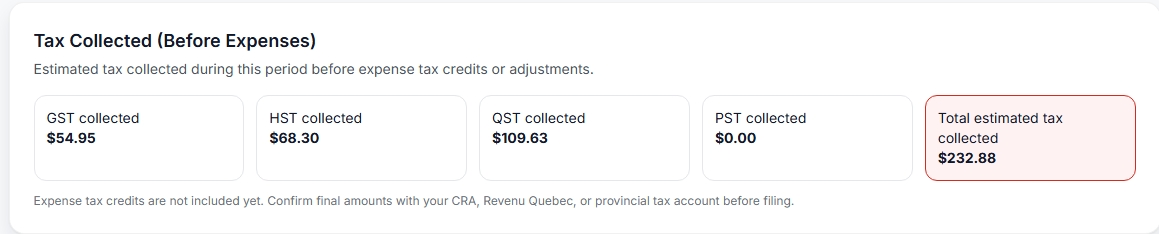
If you paid tax on business-related expenses, you can enter those amounts in the Tax Paid on Expenses section.
For example, if you bought software, supplies, tools, or equipment for your business and paid GST/HST/QST/PST, you may want to record the tax portion here.
Lunio subtracts these manually entered amounts from the tax collected to estimate what may need to be remitted.
Adding an expense tax entry
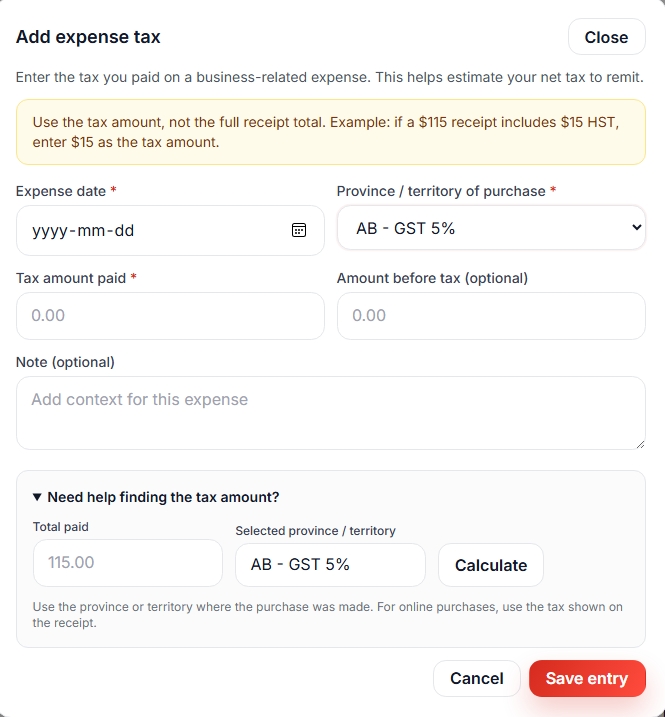
To add an expense tax entry, select Add expense tax.
Enter the date, tax type, tax amount, optional amount before tax, and an optional note. The tax amount is the important number for this report.
Where tax may be reported
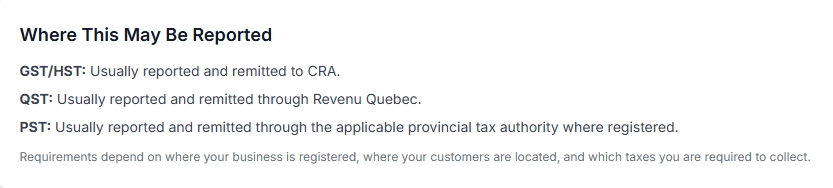
The report includes a general guide showing where different tax types are usually reported.
- GST/HST: usually reported and remitted to CRA.
- QST: usually reported and remitted through Revenu Québec.
- PST: usually reported and remitted through the applicable provincial tax authority where registered.
Requirements depend on where your business is registered, where your customers are located, and which taxes you are required to collect.
Tax by province
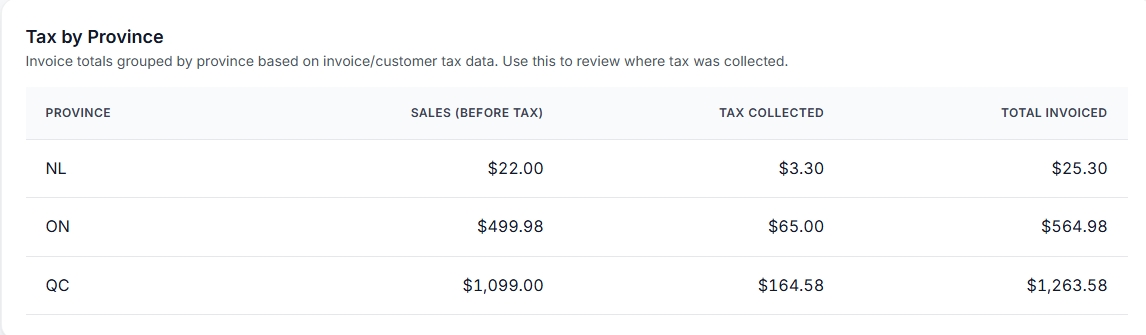
The Tax by Province section groups invoice totals by province based on invoice and customer tax data.
This helps you review where tax was collected and compare totals across provinces.
Keeping records
Keep receipts, invoices, and supporting documents for at least 6 years for CRA compliance.
This helps support your records if you are later asked to verify tax amounts.
Important note
Lunio helps organize invoice and expense tax data for reporting. It does not file tax returns or replace professional accounting advice.
Always confirm filing requirements, deadlines, and final amounts with the appropriate tax authority or accountant.